How to visualize colored pointclouds in rviz?


Hi folks,
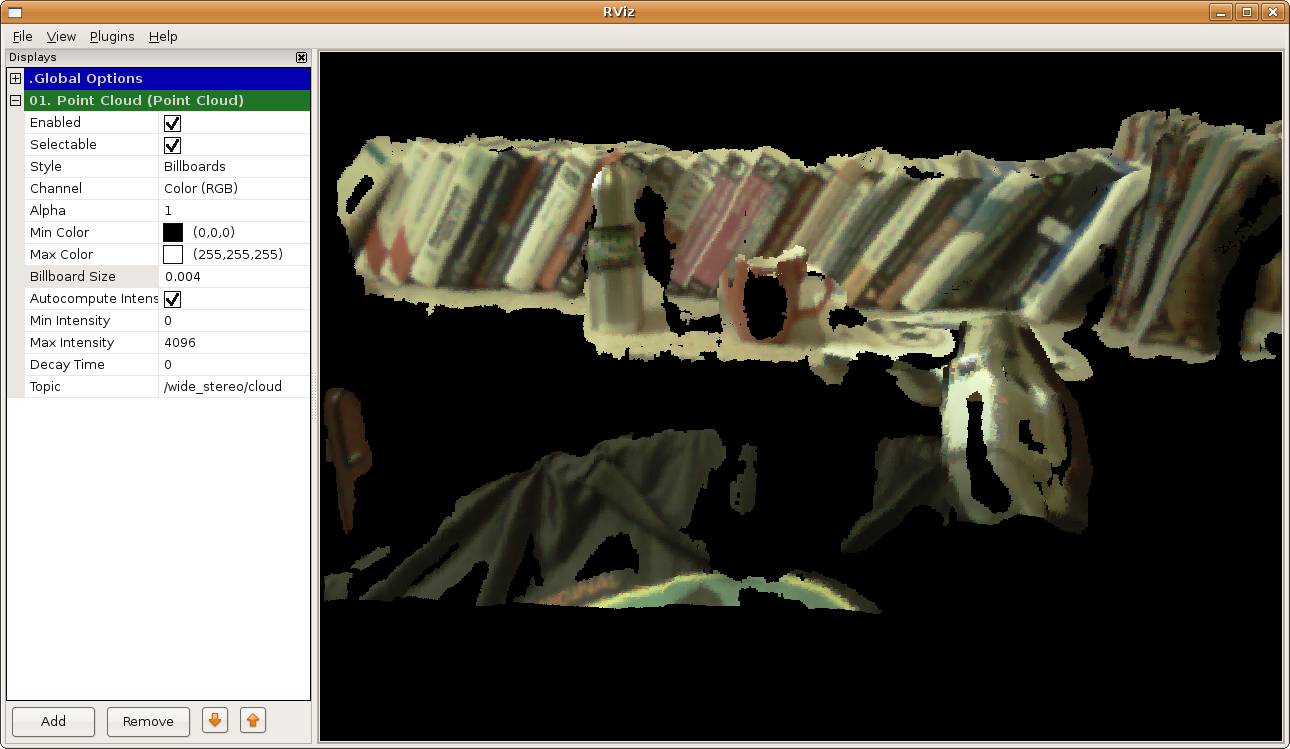
I want to show rgb values of a point cloud in rviz where I store some information inside the rgb channels. However, there is not any choice named "channel", as it is shown here.
I've tried to add various builtin display types, such as PointCloud2, PointCloud and even LaserScan but none of them contains a channel field.
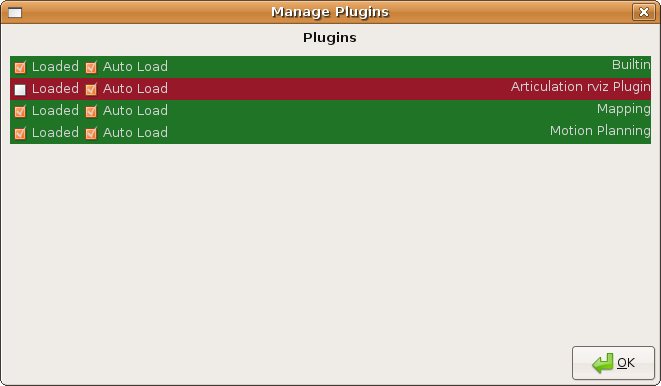
I've tried to add plugins as it is mentioned in this question. But I couldn't add any plugin via the Plugins->Manage tab of the rviz. So, I cannot obtain something like this.
I've checked the rviz folder in case there might be a folder named plugins or anything related to the plugins but no success.
I tried rviz --help but no information there also.
Can someone please tell me how can we do such a simple thing:) ?
Thanks
Comments
What is the "type" of the points in the PointCloud2 you are publishing?
 Eric Perko
(
2011-03-29 05:56:26 -0500
)edit
Eric Perko
(
2011-03-29 05:56:26 -0500
)edit
They are in the type of pcl::PointXYZRGB and I obtain the RBG values in 24bit packaged format.
 Kadir Firat Uyanik
(
2011-03-29 06:47:12 -0500
)edit
Kadir Firat Uyanik
(
2011-03-29 06:47:12 -0500
)edit
If you want to treat an arbitrary channel in the PointCloud as an intensity value, there is a patch for that. See https://code.ros.org/trac/ros-pkg/ticket/4610 . If you checkout trunk of the visualization stack and rebuild rviz, you should have access to that functionality to try it out.
Eric Perko
(
2011-03-29 07:58:16 -0500
)editadd a comment